
Extraaaz — Innovative Tech Solutions Pvt. Ltd.
Flagship OS

Extraaaz Manufacturing OS

From production planning to finished goods.

BOM, production planning, batch tracking, QC and inventory for textile, engineering and FMCG manufacturers.

  • Predictable production
  • Batch traceability
  • Quality-first output
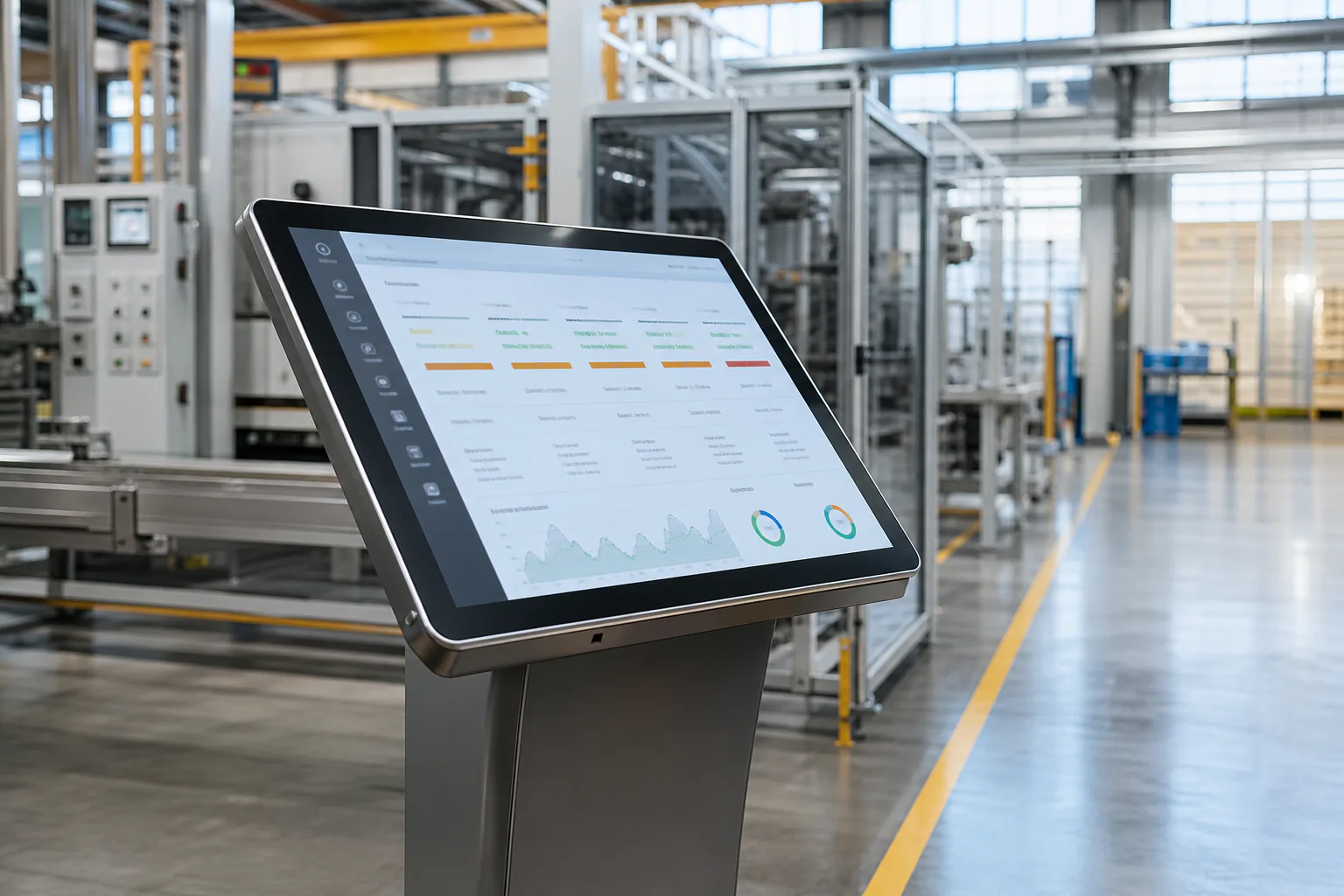
Extraaaz Manufacturing OS on a factory floor showing production planning and batch tracking dashboard
Product Preview
E
EXTRAAAZ
Manufacturing OS
Overview
Modules
  • BOM & Costing
  • Production Planning
  • Shop Floor
  • Quality Control
  • Inventory & FG
Workspace
Head Office
Search records, people, documents…
AK
Shop Floor
Shift A · CNC & Assembly
Log downtime
OEE
78.4%
+2.6 pts vs yesterday
Output today
1,840
Target 2,000
Downtime
46 min
Tool change CNC-02
Rejects
1.2%
22 pcs to rework
Hourly output · Shift APieces produced per hour
210
245
238
180
252
230
260
225
07:0008:0009:0010:0011:0012:0013:0014:00
Downtime log
  • CNC-02 · tool change22 min
  • Assembly · material wait14 min
  • Paint · booth cleaning10 min
  • Operators present46/48
Modules in daily use

Open Manufacturing OS the way your team will.

Each module is a real working area — not a marketing tile. Select one to see the screen, the job it does, and what ships with it.

Product Preview
E
EXTRAAAZ
Manufacturing OS
Overview
Modules
  • BOM & Costing
  • Production Planning
  • Shop Floor
  • Quality Control
  • Inventory & FG
Workspace
Head Office
Search records, people, documents…
AK
Bill of Materials
Bhosari plant · Active BOMs
+ New BOM
Active BOMs
186
+4 this month
Std cost change
+2.1%
Steel price revision
Pending approvals
5
2 new versions
Routings
142
Avg 6 operations
BOM registerView all
ItemVersionPartsStd costStatus
Pump housing FG-1042v3.214₹2,840Approved
Motor shaft SA-218v1.86₹640Approved
Gear assembly SA-305v2.011₹1,920In review
Valve body FG-1107v4.118₹3,460Draft
Bracket kit FG-0988v2.49₹410Cost alert
Cost drivers
  • Raw material68%
  • Labour14%
  • Machine hours12%
  • Overheads6%

BOM & Costing

Multi-level bill of materials with routing and standard costing.

  • Multi-level BOM
  • Routing & operations
  • Standard costing
  • BOM versioning
How work moves

The path through Manufacturing OS.

Capture → route → run → measure. This is the operating loop your team will live in — not a slide about 'digital transformation'.

  1. 01BOM & Costing

    Multi-level bill of materials with routing and standard costing.

  2. 02Production Planning

    Work orders, capacity view and material availability check.

  3. 03Shop Floor

    Real-time production capture, downtime and operator productivity.

  4. 04Quality Control

    Inline and final QC with parameter-wise result capture.

  5. 05Inventory & FG

    Raw material, WIP and finished-goods stock across warehouses.

Capabilities

What each Manufacturing OS module does.

5 modules, one shared record. Start with the one that hurts most and switch on the rest when you are ready.

Built for these businesses

Manufacturing OS is configured per format — the screens, masters and reports change with the way you operate.

  • Discrete / engineering
  • Process / batch
  • Textile / apparel
  • FMCG manufacturing
A day on the system

The same moments, run on Manufacturing OS.

Three ordinary situations your team handles every week — how they go today, and how they go once the system is live.

A work order is released for Monday

Today

The planner calls stores to ask what is in stock, issues a paper job card, and the shortage shows up after the machine is set.

With Manufacturing OS

Production Planning checks material availability against the BOM & Costing record and the capacity view before the work order is released to the shop floor schedule.

A batch fails a QC parameter

Today

The result goes into the QC register, but the batch has already moved to the FG store and is on a dispatch list.

With Manufacturing OS

Quality Control logs the non-conformance on the batch, Inventory & FG holds it from dispatch, and Shop Floor records the rework against the same work order.

A customer asks which RM lot went in

Today

Someone digs through issue slips, production sheets and QC files for a day to piece together one batch's history.

With Manufacturing OS

Batch traceability in Inventory & FG shows the RM lots, operations and QC results behind the FG batch, and the COA comes from Quality Control.

Connects with

Fits into the way your business already runs.

Manufacturing OS shares its record with the rest of Extraaaz and hands off cleanly to the tools you keep.

Barcode & label printers

Print batch and pallet labels at the line and scan them at issue, receipt and dispatch.

Business Operations CRM

Confirmed sales orders become work orders, so make-to-order starts from real demand.

Business Operations WMS

RM receipt, FG put-away and pick for dispatch run on the same stock as production.

Finance with GST-ready billing

Business Operations Finance picks up consumption and FG costs and raises GST-ready invoices.

Logistics OS for outbound

Finished goods move into transport planning and POD without retyping the dispatch.

REST API for your systems

Connect your own planning sheets, dashboards or customer portals to work orders and stock.

What you are actually buying

Not a brochure. An operating loop.

Plan, make, check and stock in one system — BOM, work orders, shop floor, QC and finished goods, without a production Excel that nobody trusts.

Manufacturing OS gives production, planning and shop-floor teams a single system for the entire make-to-stock or make-to-order lifecycle. Model BOMs, plan production, capture shop-floor progress, run QC and connect the finished goods store back to sales and dispatch.

Why teams switch

The work is already happening. It is just happening in the wrong places.

If this list feels familiar, the product is for you. If it does not, skip it — we would rather you not buy the wrong OS.

Before Extraaaz
  • The BOM lives in someone’s laptop

    Engineering has a version, stores has another, costing has a third. A change on the floor never makes it back.

  • Planning is a weekly meeting

    Work orders are issued on paper. Material shortage is discovered after the machine is set.

  • Shop floor capture is delayed

    Operators fill a sheet at the end of the shift. Downtime and rejects are negotiated, not recorded.

  • QC is a stamp, not a record

    Parameters, sampling and non-conformance live in registers. Traceability is a search through files.

After Manufacturing OS is live
  • One BOM, one cost, one routing

    What you plan to make is what stores issue and what costing uses.

  • Work orders with material and capacity

    You do not start a job the stores cannot feed or the line cannot absorb.

  • Live shop floor and QC on the batch

    Output, downtime, reject and COA sit on the same batch as RM and FG stock.

Fit

Who this product is for — and who it is not.

Discrete / engineering

Multi-level BOM, routing, and operation-wise capture.

Process & batch

Batch traceability, QC parameters, yield.

Textile & apparel

Style, process stages, and FG that sales can actually promise.

FMCG manufacturing

RM / WIP / FG, QC and dispatch sitting next to Retail or distribution.

Not a fit: Manufacturing OS is not a full CAD/PLM suite or a shop-floor PLC layer. It is the operating system between planning, people and stock. Heavy MES on the machine itself is a separate conversation.

What's in the box

Everything Manufacturing OS includes.

This is the working surface — not a feature dump. If a line does not match how you operate, tell us in the evaluation form. We would rather configure less.

Multi-level BOM

Versioned bills, routing, standard cost.

Work orders

Create, release, material check, schedule.

Capacity view

What the line can take this week, not last month’s plan.

Shop-floor capture

Operation complete, downtime, reject, rework.

QC plans

Parameters, sampling, NCR, COA.

Batch traceability

From RM lot to FG dispatch.

RM / WIP / FG stock

Stores that match the order, not a parallel inventory tool.

Dispatch to sales

Finished goods that logistics or retail can actually ship.

People

What each role actually does in the system.

Software fails when only the owner saw the demo. This is the day-one job for the people who will live in it.

Planning

Issue work the factory can actually run.

Stores

Issue against the order, receive FG against the order.

Supervisor / operator

Capture the shift without a second register.

Quality

Results on the batch, not in a drawer.

Management

Yield, overdue jobs, and FG available to promise.

How you get started

Four steps from this page to a live workspace.

There is no anonymous credit-card signup. Book a demo or send an enquiry, and our team configures your workspace around how you actually operate.

  1. Step 01

    Book a demo or send an enquiry

    Tell us how you operate. A product specialist walks you through the OS on your own workflows and sizes the plan to your volume.

  2. Step 02

    We configure your workspace

    Our team sets up your sites, roles and first workflow, then hands you a workspace that is ready to use — not a blank screen.

  3. Step 03

    Train the people who run it

    Operators, supervisors and finance get short, role-based sessions. No six-month classroom. The system should feel like their job, not a new one.

  4. Step 04

    Go live, then expand

    Start with one site or one workflow. Add modules, locations and users once the first loop is trusted.

Plans

Priced for how you actually run — not a fake public rate card.

Starter, Growth and Enterprise are packaged around locations, modules and support. Exact commercials come after we see your volume. No invented rupee figures on this page.

Starter

Single location getting off spreadsheets.

  • Core Manufacturing OS modules
  • Up to 10 users
  • Email support
  • Standard reports
Enquire · Starter
Most teams

Growth

Multi-location teams that need the full operating loop.

  • All modules in this OS
  • Unlimited users (fair-use)
  • Multi-site / multi-outlet
  • Priority support & onboarding
Enquire · Growth

Enterprise

Groups that need SSO, audit, and a named success lead.

  • SSO / SAML & role design
  • Dedicated onboarding
  • Custom integrations
  • Uptime & security review
Enquire · Enterprise
Questions buyers actually ask

Before you start Manufacturing OS.

Book a demo

See Manufacturing OS on your own workflows.

Tell us how you operate and a product specialist will walk you through Manufacturing OS — no slideshow, no credit card. Prefer to ask a question first? Send an enquiry instead.

  • Live walkthrough on your sites and roles
  • Plan and pricing sized to your volume
  • A go-live plan for your first workflow

Have a general question? Send an enquiry.

Request a Manufacturing OS demo

We'll never share your details. Read our privacy policy.

Ready to run Manufacturing OS?

Book a walkthrough with our team on your own workflows, or send us an enquiry about plans, rollout and pricing for your volume.

Manufacturing OS
Book a live walkthrough or send us an enquiry